Success message
Description
A success message pattern is a response from the system confirming that an action has been completed. When a user interacts with a product, they want to achieve a specific goal, and success states help them understand that they have achieved it.
Appearance
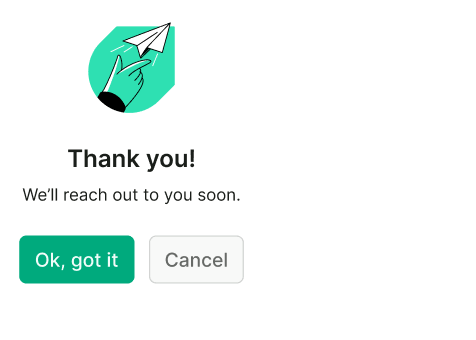
When designing a success message, keep the following principles in mind:
- All content must be centered.
- The title text must have a font size of
20px(--fs-400,--lh-400;), the--text-primarycolor, and the bottom margin of8px. - The message text must have the font size of
14px(--fs-200,--lh-200) and the--text-primarycolor. - CTA buttons are optional, and they should have L size.
When to use
A success state can appear in these scenarios:
- A user's manual input such as submitting a form.
- An action that's triggered automatically such as auto-saving.
- A process that the user initiated such as exporting data.
The positioning of a success state depends on the context it's used in. Here are some general recommendations that can help you:
- Position the success state in the component that the user is currently engaged with, so that it's easy to notice and understand what it's referring to.
- Show the success state at an appropriate time to ensure that the user understands what action has led to it.
- Ensure that the success message or feedback is clear, so that users can easily understand what they need to do next.
- Users should be able to close the success modal window or notice at any time – for example, with a close button or by pressing the
Escapekey.
For example, if a Feedback form has been sent successfully, show the success message in the same place next to the form's trigger.

A user can close a success state by clicking on:
- "OK, got it" button
- Close icon
- Outside the modal window
You can also close the success state automatically after 3—5 seconds, but be sure to test that it doesn't make the user experience worse.
Other methods
You can use NoticeBubble to notify a user about successfully completing a small part of a scenario.

You can also use Notice in a similar way to provide a user with some feedback.

Last updated: